Google Chat and Microsoft Teams Interoperability Is Now Generally Available with NextPlane OpenHub

 July 23, 2026
 July 29, 2026


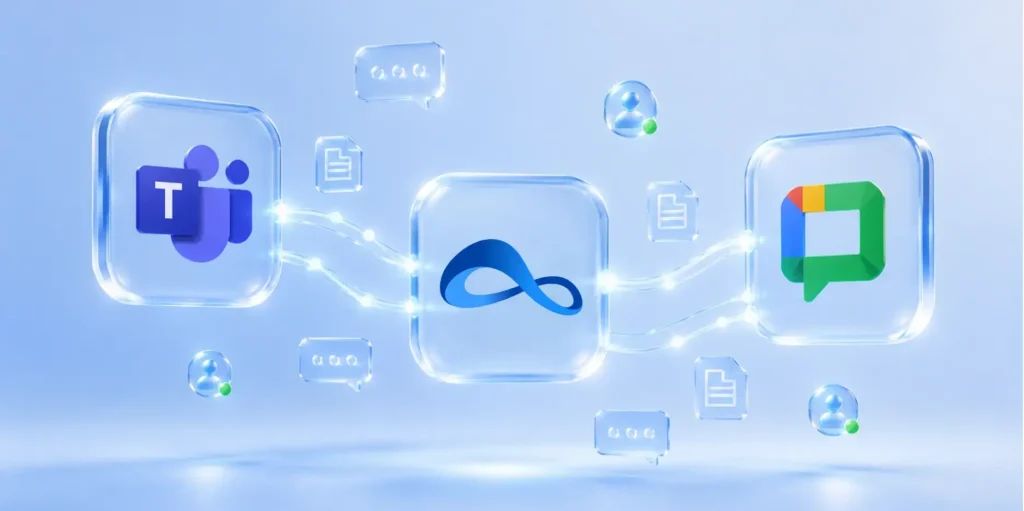
Table of contents
- 1. Why this matters for Google Workspace organizations
- 2. Enterprise-grade interoperability without enterprise-grade complexity
- 3. NextPlane OpenHub product capabilities
- 3.1. Native user experience
- 3.2. Single-tenant, customer-hosted Deployment
- 3.3. Customer Managed identities
- 3.4. Minimal, scoped permissions
- 3.5. Native administration
- 3.6. Usage-based pricing
- 3.7. Faster, lower-risk deployment
- 4. Where enterprises can use OpenHub
- 5. Connect your collaboration ecosystem with OpenHub today
For years, enterprises have faced a frustrating collaboration gap: some teams, partners, customers, or suppliers work in Microsoft Teams while others work in Google Chat.
The result is familiar: context switching, duplicate conversations, guest-account workarounds, missed messages, and unnecessary friction across business-critical relationships.
Now, that barrier is coming down.
In May 2026, Google announced the general availability of External Interoperability between Microsoft Teams and Google Chat via NextPlane OpenHub, giving organizations a secure, enterprise-grade way to connect both platforms without requiring users to abandon the tools they already use.
With NextPlane OpenHub, users can:
- Send direct messages and participate in group conversations across Google Chat and external Microsoft Teams tenants
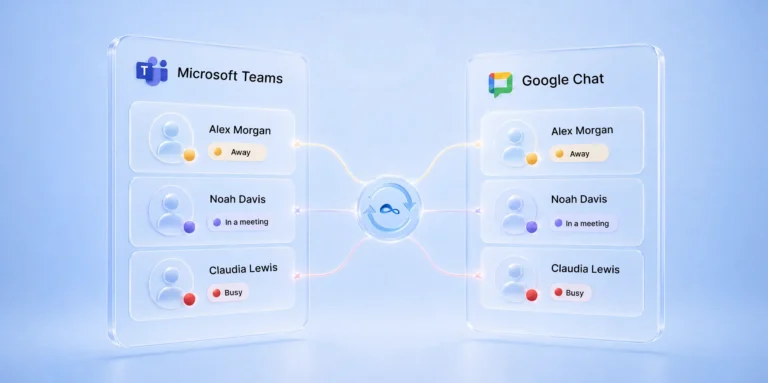
- See real-time presence across platforms
- Collaborate across Google Chat Spaces and on external Microsoft Teams channels
- Share files without leaving their preferred collaboration app
- Launch voice and video calls natively from their GWS
Why this matters for Google Workspace organizations
For organizations standardized on Google Workspace, collaboration often extends beyond the Google ecosystem. Customers, suppliers, agencies, acquired companies, and enterprise partners may still rely on Microsoft Teams.
Without interoperability, Google Workspace users may be forced to switch between Google Chat and Teams, manage duplicate conversations, or rely on guest accounts and external collaboration workarounds.
NextPlane OpenHub helps Google Workspace organizations stay in GWS while continuing to collaborate with Microsoft Teams users in real time. That means less context switching, fewer fragmented conversations, and a smoother experience for users and IT teams alike.
Enterprise-grade interoperability without enterprise-grade complexity
Best of all, organizations can deliver these capabilities without forcing users to switch platforms or introducing significant administrative overhead or security concerns.
OpenHub is built for enterprise-grade governance and compliance requirements, with a dedicated single-tenant architecture, flexible deployment options, and customer-controlled data management.
Unlike workaround approaches that rely on guest accounts, unmanaged identities, or broad administrative privileges, OpenHub is designed for enterprise control from the start. Organizations can retain control over identities, access, deployment models, and data management while enabling users to collaborate across platforms.
NextPlane OpenHub product capabilities
In addition to enabling seamless collaboration across Microsoft Teams and Google Workspace, NextPlane OpenHub also provides several additional advantages as an interoperability layer.
Native user experience
OpenHub delivers a native Teams and Google Workspace experience for collaboration. Users can collaborate seamlessly with colleagues on the other platform using the same familiar interface they’ve grown accustomed to.
Single-tenant, customer-hosted Deployment
OpenHub is deployed as a dedicated, single-tenant service that can run on your Google Cloud Platform (GCP). As a result, customers retain control over sensitive collaboration data and can meet strict data residency requirements while avoiding the shared-tenant risk model offered by other interoperability vendors.
Customer Managed identities
Other interoperability providers manage guest users and require persistent impersonation rights to simulate native collaboration. This extends the enterprise trust perimeter to an external SaaS vendor.
OpenHub takes a different approach. Rather than introducing synthetic or vendor-controlled users and requiring cross-tenant impersonation, OpenHub enables interoperability through customer-created user and guest accounts, aligned with existing identity, security, and compliance policies in Microsoft Teams and Google Workspace.
This approach significantly reduces operational friction for security, legal, and compliance teams.
Minimal, scoped permissions
Unlike other providers that require excessive permissions to enable interoperability, OpenHub requires only domain-wide delegation and application-level permissions. This helps reduce the security risks associated with excessive permissions and strengthens operational security.
Native administration
OpenHub is easy to administer, with configuration and management done directly within existing Microsoft Teams and Google Workspace consoles. Unlike competing solutions, customers don’t need to manage separate user directories or external platform configurations.
Usage-based pricing
OpenHub uses a consumption-based licensing model with a dynamic license pool. Licenses are not tied to individual users. Billing is based on the number of unique active cross-platform users each month. A user counts as active when they engage across OpenHub. That includes 1:1 messages, group chats, channels/spaces, file sharing, or voice/video calls. Both sides of a conversation are counted. So, when a Google Workspace user and a Teams user message each other, they consume two licenses. The pool resets each month.
Faster, lower-risk deployment
Customers can quickly achieve interoperability by avoiding synthetic identities, proxy tenants, and complex impersonation requirements. This translates into deployments that take weeks — not months.
OpenHub provides native chat interoperability between Google Workspace and Microsoft Teams. For your external use case, it connects your users directly to the people in the other organization’s Microsoft Teams tenant. Both sides keep working on their own platform, in real time
Where enterprises can use OpenHub
OpenHub is especially valuable in environments where collaboration spans multiple companies, platforms, or business units. Common use cases include:
- Partner and supplier collaboration: Work with external organizations that use Microsoft Teams while your users stay in Google Chat.
- Mergers and acquisitions: Maintain communication continuity before collaboration platforms are consolidated.
- Multi-tenant collaboration: Connect with multiple Microsoft Teams organizations from a single Google Workspace environment.
- Joint ventures and project ecosystems: Keep communication flowing across distributed, multi-company teams.
- Regulated or complex IT environments: Enable secure cross-platform communication when domain validation, access controls, or deployment requirements limit other options.
Connect your collaboration ecosystem with OpenHub today
As organizations increasingly collaborate with partners, customers, suppliers, and acquired businesses, the ability to communicate seamlessly across Microsoft Teams and Google Chat is becoming a necessity for business survival.
By eliminating the barriers between Microsoft Teams and Google Chat, NextPlane OpenHub enables secure, enterprise-grade interoperability without disrupting existing workflows or compromising governance requirements.
Ready to connect Google Chat and Microsoft Teams without disrupting your users or compromising enterprise control? Contact sales to schedule a demo and see how NextPlane OpenHub enables secure, real-time interoperability across your collaboration ecosystem.
To explore the full range of OpenHub capabilities, visit the NextPlane OpenHub advantages page.