Gemini vs. Copilot: Which AI assistant fits your organization in 2026?

 April 24, 2026
 July 29, 2026



Table of contents
- 1. What’s New in Gemini and Copilot? (Updated March 2026)
- 2. TL;DR: When Gemini Wins, When Copilot Wins & When You Need Both
- 3. What Are Google Gemini and Microsoft Copilot, Really?
- 4. Feature Comparison: Google Gemini AI vs. Microsoft Copilot
- 4.1. Chat Experience: Copilot vs. Gemini AI for Everyday Tasks
- 4.2. In-App Productivity: Workspace vs. Microsoft 365
- 4.3. Collaboration and Communication: Email, Chat & Meetings
- 4.4. Context and Grounding: Files, Drives & Knowledge Bases
- 4.5. Microsoft Copilot vs. Google Gemini Comparison: At-a-Glance Table
- 5. Pricing and Plans: Copilot Pro vs. Gemini Advanced vs. Enterprise
- 6. Developers: Gemini Code Assist vs. GitHub Copilot (and Copilot for Devs)
- 7. Security, Compliance & Data Governance
- 8. Agentic AI and Custom Assistants: Beyond “Copilot or Gemini”
- 9. Hybrid Reality: Copilot vs. Gemini in Mixed Google & Microsoft Environments
- 10. Decision Framework: Gemini or Copilot (or Both?)
- 11. FAQ: Gemini vs. Copilot for 2025
AI assistants are no longer standalone tools. Today, they’re embedded directly inside Google Workspace and Microsoft 365.
When it comes to comparing Gemini vs. Copilot, it’s important to remember it’s not about which tool is better but rather which fits your ecosystem, compliance needs, and existing tech stack.
Keep reading to learn more about the differences between Gemini and Copilot, including feature comparisons, pricing plans, developer tools, agentic AI capabilities, and how you can even use both products together to unlock the full promise of each of them.
What’s New in Gemini and Copilot? (Updated March 2026)
New in Gemini:
- Gemini Enterprise Agent Platform, which makes it easier to build and manage agents
- Gemini app for Mac, enabling Mac users to access Gemini alongside apps via a native desktop experience
New in Copilot:
- Agentic capabilities in Word, Excel, and PowerPoint that enable Copilot to take multi-step actions in documents, spreadsheets, and presentations. For example, Copilot can explore data in spreadsheets and explain its analysis or apply formulas to data automatically.
- The ability to share agents directly with teams in Microsoft Teams, making it easier to collaborate using the same agents.
TL;DR: When Gemini Wins, When Copilot Wins & When You Need Both
Before we dive a bit deeper into whether you should use Gemini or Copilot, here are the Cliffsnotes.
Choose Gemini if:
- Your organization uses Google Workspace, wants deep research capabilities, and relies on content-heavy workflows.
- Your team is comfortable with experimenting with new tools that are constantly changing
- You’d benefit from AI summarization, data exploration, and collaboration features with Docs, Sheets, and Gmail
Choose Copilot if:
- Your organization uses Microsoft 365 and is interested in productivity gains across Word, Excel, and Teams
- The security, compliance, and reliability of Microsoft products appeals to your business
Use both if:
- You operate in a hybrid environment (i.e., with both Microsoft and Google products in your ecosystem) or want to explore using a multi large language model (LLM) strategy
- You want the best of both worlds, giving your teams access to both Gemini and Copilot and taking advantage of new features in each of them as they roll out.
Copilot vs. Gemini for Google Workspace Customers
If your organization primarily uses Google, Gemini is your default AI assistant. Which is great, since it seamlessly integrates with Gmail, Docs, Sheets, and Drive, improving daily collaboration, accelerating content creation, and surfacing quick insights within Google Workspace — all while keeping data safe within Google’s ecosystem.
Adding Copilot on top of Gemini can help teams increase productivity in Windows and on Microsoft Edge. If they use GitHub, your software developers will enjoy tinkering with GitHub Copilot, designed to speed up developer workflows.
With both tools together, organizations can use Gemini for Google-specific work and Copilot for Windows, GitHub, and Office-heavy tasks. This gives you the flexibility of using the best of each tool’s features without having to migrate from Google to Microsoft. It’s an easy way to accelerate your organization’s AI journey without being locked into one vendor’s AI stack.
Gemini vs. Copilot for Microsoft 365 Organizations
As a Microsoft 365 organization, Copilot is your default AI assistant, seamlessly integrated across Word, Excel, PowerPoint, Outlook, and Teams. Copilot offers data analysis and workflow automation benefits. You can also use Microsoft Graph to ensure Copilot provides relevant, context-aware responses based on your organization’s data — all while keeping sensitive information safe with Microsoft’s enterprise-grade security and compliance capabilities.
By adding Gemini to your stack, your team benefits from faster research, creative content generation, and multimodal inputs (e.g., text, image, and video), along with quick access to Google Search and real-time web results. While developers might prefer using Copilot in GitHub, marketing teams, R&D, and innovation may prefer Gemini for idea generation, trend analysis, and cross-platform collaboration.
Mixed Stack Reality: Google & Microsoft in One Company
Many organizations use Google Workspace for creative and marketing teams and Microsoft 365 for finance, operations, and compliance. Even if an organization lives within one of these ecosystems, external business partners may use another stack.
In these scenarios, organizations need interoperability solutions that connect Microsoft and Google, enabling seamless collaboration and AI-driven workflows across ecosystems. Such a hybrid setup enables companies to use Copilot to increase productivity within Microsoft tools and Gemini for creative collaboration — all while reducing friction between platforms.
Embracing both tools helps organizations remain agile and resilient, enabling employees to use the best tool for the job at hand.
What Are Google Gemini and Microsoft Copilot, Really?
While Gemini and Copilot are similar in the fact that they’re both AI assistants, there are important nuances between the two tools to understand.
Google Gemini AI: From Chatbot to Workplace Assistant
Google Gemini began as Google’s next-generation AI successor to Bard, a conversational chatbot. Evolving beyond chatbot capabilities, Gemini is a full-featured workplace assistant.
Currently, users can select one of three models to power its AI assistant:
- Gemini 2.5 Pro, which uses reasoning across complex code, math, and STEM-related problems, and can analyze large datasets and documents;
- Gemini 2.5 Flash, built for large-scale processing, with low latency, for agentic use cases; and
- Gemini 2.5 Flash-Lite, Google’s fastest model, optimized for high throughput and cost-efficiency.
More than a chat window, Gemini is integrated throughout Google Workspace, helping teams work more productively. You’ll find it in Gmail, Docs, Sheets, Slides, Chat, and even Google Meet. It’s also available via the Gemini web and mobile apps. Gemini can assist with writing, data analysis, summarizing content, and meeting prep, making it an ideal productivity partner.

Microsoft Copilot: Family of Assistants Across M365 and GitHub
Microsoft Copilot began as an in-app helper for Office tools. Since then, it’s grown into a unified productivity layer that ties the Microsoft ecosystem together. According to a FirstPageSage report, Copilot is slightly more popular than Gemini, which command 14.1% and 13.4% of the genAI chatbot market respectively (ChatGPT is the king of the category with 61% market share).
Microsoft offers a Copilot family, which includes:
- Microsoft 365 Copilot, for business apps like Word, Excel, PowerPoint, Outlook, and team;
- GitHub Copilot, for software developers inside GitHub; and
- Windows Copilot, for system-level assistance.
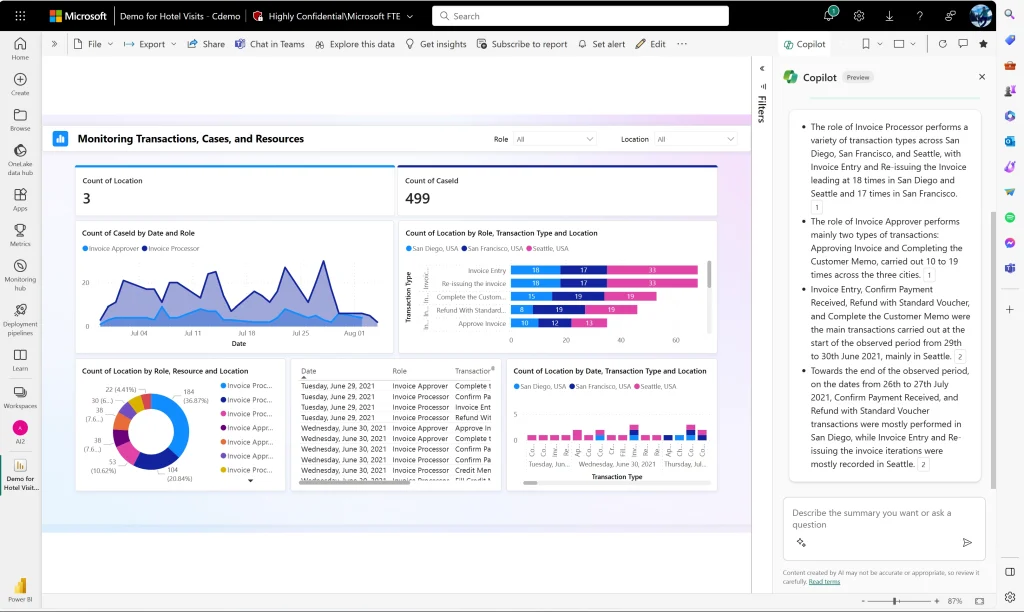
Microsoft users will encounter Copilot across the apps they use and can leverage it to draft content, analyze data, summarize discussions, and automate workflows. More than a plugin, Copilot is now a context-aware assistant. It connects data across documents, emails, and meetings, transforming your Microsoft 365 environment into an intelligent workspace.
Are Gemini and Copilot the Same Thing?
No. Gemini is built by Google; Copilot by Microsoft. Each AI assistant is tied to its respective ecosystem, licensing, and integrations. In other words, you can’t deploy Gemini directly inside your Microsoft environment, nor vice versa.
Each assistant accesses and analyzes information stored within its respective platform (e.g., Google Drive and Microsoft Graph). While both assistants are powered by LLMs that can generate text and summarize content — and they both look similar — each operates on distinct infrastructure.
Feature Comparison: Google Gemini AI vs. Microsoft Copilot
Now that you’ve got a high-level understanding of each platform, let’s drill down into the specific features each AI assistant has.
Chat Experience: Copilot vs. Gemini AI for Everyday Tasks
Both AI assistants use LLMs to assist with everyday tasks, but the experience differs in tone, speed, and integration. Gemini tends to be more conversational than Copilot, offering strong research and browsing capabilities powered by Google Search.
Copilot delivers a more structured experience inside Microsoft tools, with more of an emphasis on precisions, enterprise security, and compliance.
Here’s an overview of the different tasks each AI can handle, along with the nuances between the two. Of course, the caveat here is that many of these are ultimately subjective, so you really need to test each AI with your own eyes to figure out which one you like best.
| Feature | Gemini AI (Google) | Microsoft Copilot |
| Summarization | Solid for Gmail, Docs, and web content | Great in Word, Outlook, and for Teams meeting recaps |
| Editing and rewriting | Creative and exploratory | Polished and formal |
| Browsing and web access | Real-time browsing via Google Search | Less robust; draws on Microsoft Graph and Bing |
| Multimodal input | Supports text, images, and video | Supports text, images, and videos |
| Speed and responsiveness | Fast across Google products | Consistent in Microsoft 365 apps |
| Tone and style | Conversational and adaptive | Professional and structured |
| Reliability | Strong for open-ended tasks | Reliable for structured enterprise workflows |
In-App Productivity: Workspace vs. Microsoft 365
Gemini feels native and smooth in Google products: Gmail, Docs, Sheets, and Slides. Offering context-aware assistance for drafting, summarizing, and interpreting data directly within Google Workspace, Gemini is a great tool for teams that rely on the Google productivity suite.
Copilot is designed for Microsoft tools like Outlook, Word, Excel, and PowerPoint. It delivers seamless automation and data-driven insights based on the data that lives in your Microsoft products.
Collaboration and Communication: Email, Chat & Meetings
Gemini integrates with Gmail, Google Chat, and Meet, helping users summarize long email threads, draft responses using genAI, and prepare for and follow-up on meetings with contextual notes.
Copilot, on the other hand, is embedded in Outlook and Teams. It helps you manage your inbox more effectively, makes it easier to schedule meetings, and streamlines meeting workflows. Using Copilot, you can generate email drafts with genAI, summarize discussions, and create follow-up reminders.
Context and Grounding: Files, Drives & Knowledge Bases
Both AI assistants leverage the documents and knowledge with their respective environments to provide context-aware assistance. But, once again, they operate on different platforms, with Gemini drawing from Google Drive, Docs, and Sites and Copilot pulling data from OneDrive, SharePoint, Loop, and Teams.
Whether you use Gemini or Copilot, the tool will leverage your organization’s data when summarizing, generating, or suggesting content.
Microsoft Copilot vs. Google Gemini Comparison: At-a-Glance Table
| Feature | Microsoft Copilot | Google Gemini AI |
| Ecosystem | Microsoft 365, Windows, GitHub | Google Workspace, Drive, Docs, Sheets, Slides, Chat, Meet |
| Core use cases | Productivity, document drafting, data analysis, workflow automation | Creative content, research, summarization, collaboration, multimodal inputs |
| Integration depth | Deep integration in Outlook, Word, Excel, PowerPoint, Teams, with enterprise-grade security & compliance | Deep integration in Gmail, Docs, Sheets, Slides, Chat, Meet, including web and mobile access |
| Context window / knowledge access | Access Microsoft Graph, SharePoint, OneDrive, Teams, and Loop; structured enterprise data (text, image, and video) | Accesses Drive, Docs, Sites, Gmail; web search; multimodal context (text, image, and video) |
| Multimodal support | Primarily text and images, with videos added recently | Full multimodal support starting with Gemini 1.5 |
| Speed & responsiveness | Consistent within Microsoft 365 apps | Fast on web, mobile, and Workspace |
| Tone & style | Professional, structured, task-focused | Conversational, adaptive, creative |
| Strengths | Enterprise workflows, productivity, reliability, security & compliance | Research, real-time search, creativity, collaboration, ease of use |
| Weaknesses | Less flexible for creative tasks | Performance may be inconsistent for highly structured workflows |
Pricing and Plans: Copilot Pro vs. Gemini Advanced vs. Enterprise
The best tool in the world won’t do you much good if it costs too much or doesn’t fit in your budget in the first place.
Personal & SMB Plans: Gemini AI Pro vs. Copilot Pro Comparison
| Gemini AI Pro | Microsoft 365 Premium | |
| Price | $19.99/month | $19.99/month |
| Limits | 1,000 monthly AI credits | Only main account holder can use AI features, though up to six people can use other services |
| Included apps | Gemini, including Deep Research; Flow, AI filmmaking tools, including access to Veo 3.1; Whisk for image-to-video creation; Jules for software development; NotebookLM | Copilot, Word, Excel, PowerPoint, Outlook, OneDrive, One Note, Defender, Clipchamp, Microsoft Designer |
| Notable differences | Tightly integrates with Google Workspace; emphasis on deep research | Tightly integrates with Microsoft 365; built for the enterprise |
Business & Enterprise: Google Gemini Enterprise vs. Microsoft Copilot
Both Google and Microsoft offer a slew of different plans for businesses of all sizes; no matter which tool you use, chances are you’ll find a plan that works for your situation. Since we’ve compared subscriptions at the lower end of the spectrum, let’s look at what each vendor offers for enterprises.
For Google Workspace subscribers, Gemini Enterprise Standard / Plus starts at $30/user/month, offering Google’s “specialized AI coding agent,” Gemini Code Assist Standard, with up to 75 GB of storage and data indexing per seat. This product is ideal for Google Workspace users that want AI-assisted workflows in email, documents, and spreadsheets and a central Gemini app they can use to query organizational content.
For Microsoft 365 subscribers, Microsoft 365 Copilot starts at $30/user/month, giving users the ability to create and use AI agents with Copilot Studio. As a Microsoft product, this subscription delivers enterprise-grade security, privacy, and compliance. It also gives teams access to deep reasoning agents, like Research and Analyst. Microsoft 365 Copilot is designed for enterprise customers that use Microsoft 365 and want a Graph-grounded AI assistant that speaks your business’ language.
While both products offer security controls, Microsoft has a Copilot Control System built specifically to protect enterprise data and enforce security and compliance requirements.
(Note: Google and Microsoft are constantly refining their AI offerings. Pricing and features may change at any time.)
Total Cost of Ownership: Licenses, Add-Ons & Adoption
When evaluating the cost of Microsoft Copilot and Google Gemini AI in the enterprise, you need to look beyond the list price. While Gemini is now a core part of Google Workspace plans, Copilot is available as an add-on to Microsoft 365. So while both options currently cost $30/user/month, Microsoft customers have to pay that on top of regular license costs.
There are also other indirect pricing considerations to keep in mind:
- Security reviews: Before deploying an AI assistant, you need to do your due diligence to ensure data is protected and your security and compliance obligations are met. This takes time and money.
- Administration: Properly configuring the AI assistant can take time, too. You’ll also have to create usage guidelines and create training policies to ensure swift adoption.
- Training: Beyond setting up the tool, you also need to train users, monitor adoption, capture feedback, and continuously refine your deployment.
To keep costs in check, some organizations might decide to conduct a phased rollout of the AI tools. For example, for Copilot, you might start in finance and operations first, verify ROI at six months, and then expand the tools to marketing. Similarly, for Gemini, you might pilot the tools in your creative department before a broader organization-wide rollout. This approach lets you manage costs, measure usage, and ultimately ensure you get the biggest bang for your buck.
Developers: Gemini Code Assist vs. GitHub Copilot (and Copilot for Devs)
Both Google and Microsoft have extended their AI assistants into developer workflows. This is great news, since a 2024 study, Three Effects of Generative AI on High-Skilled Work: Evidence from Three Field Experiments with Software Developers, shows that coding assistants can boost developer productivity more than 26%.
While both companies are solid on the promise of coding assistants, their approaches differ significantly.
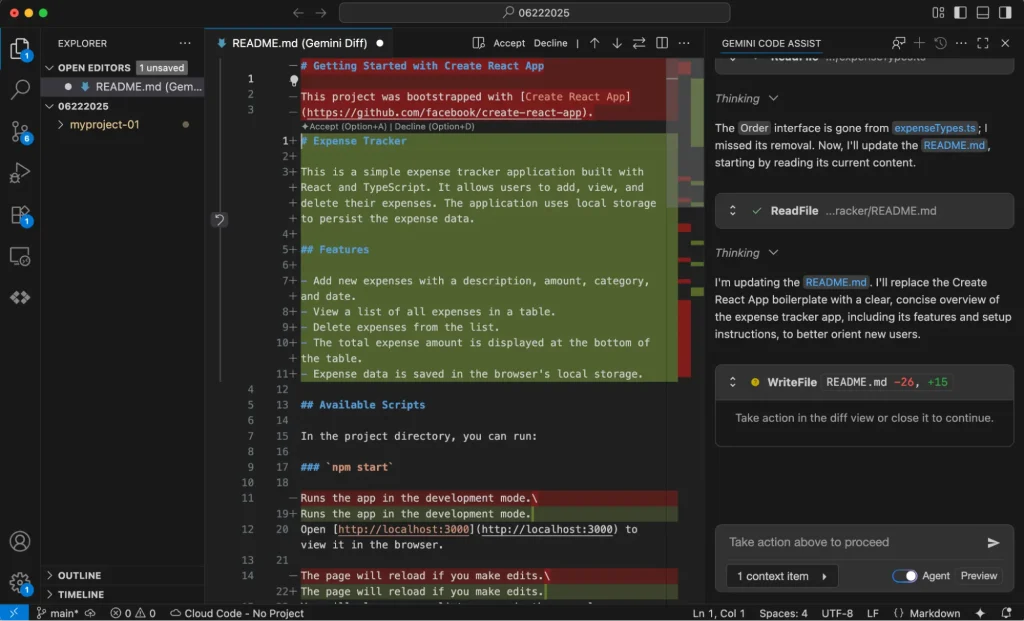
Gemini Code Assist builds on Google’s foundation of code generation within cloud-native environments. GitHub Copilot, on the other hand, is one of the top choices for real-time AI pair programming.
Gemini Code Assist vs. GitHub Copilot: IDEs, CLI & Support Stacks
Gemini Code Assist works with several IDEs, including VS Code, JetBrains IDE, and Google Cloud Shell Editor. In addition to supporting VS Code and JetBrains, GitHub Copilot also works with Visual Studio and Neovim.
Both tools support major programming languages like Python, JavaScript, Java, C#, and Go. Gemini has stronger ties to Google Cloud SDK and Vertex AI workflows, while Copilot unsurprisingly pulls from GitHub’s massive open source repository for context. Additionally, Gemini supports code suggestions within gcloud CLI and Cloud Build, and Copilot integrates with GitHub CLI, Azure DevOps, and Codespaces.
As a Google product, Gemini is deeply embedded in Google Cloud Console, Cloud Run, BigQuery, and Vertex AI. Copilot, on the other hand, connects to GitHub, Azure DevOps, and Microsoft Entra ID.
Copilot vs. Gemini for Coding: Quality, Tests & Security
Let’s take a quick peek at how each tool supports coding:
- Code quality: Copilot’s model is trained on GitHub data and tends to produce stable boilerplate examples. Gemini offers strong reasoning capabilities across multiple languages and complex data processing tasks.
- Test generation: Both tools can draft unit tests. Copilot’s strengths lie in seamless integration with frameworks like Jest and PyTest, while Gemini is best at explaining tests and suggesting optimizations.
- Refactoring: Gemini can explain large codebases and suggest structural improvements. Copilot is well-suited at incremental refactors inside IDEs.
- Security hints: Copilot leverages GitHub Advanced Security to detect vulnerabilities. Gemini uses Google’s Secure AI Framework and contextual data loss prevention to protect data.
- Documentation generation: Both tools produce inline documentation; Gemini provides richer natural language explanation while Copilot uses GitHub Docs formatting and Markdown.
When to Choose Gemini vs. Copilot for Coding in Your Organization
If your teams build with Google Cloud and use Vertex AI, you should use Gemini Code Assist. It’s ideal for multi-language environments, analytics, and machine learning workflows.
If you’re a GitHub-centric org already using Microsoft 365 or Azure DevOps, choose GitHub Copilot — especially if you value seamless IDE integration.
For multi-cloud or regulated industries, a dual strategy might work best. Use Copilot for GitHub-based dev cycles and Gemini for secure internal data analysis, for example.
Security, Compliance & Data Governance
With the average data breach setting organizations back $4.4 million, it’s critical to ensure that every tool you deploy has strong security, compliance, and data governance features.
Naturally, both Google and Microsoft brag about the enterprise-grade security of their products. That said, they have different architectures, compliance coverage, and admin visibility. Prior to making your ultimate selection, do your due diligence to drill down into these topics to make sure your specific use cases are covered.
How Gemini AI and Copilot Handle Your Data
At a high level, both Gemini and Copilot isolate your data away from public endpoints, using internal APIs and tenancy enforcement to ensure privacy. More specifically:
- Gemini processes data within Google’s Vertex AI infrastructure. The enterprise tier ensures that no customer data is used for training. All data is encrypted in transit and at rest via Google Cloud Key Management.
- Copilot operates within Microsoft 365 and Azure environments. Using the enterprise version, all user prompts and outputs are excluded from model training. Copilot uses Microsoft Graph for context, with full encryption and audit logging capabilities.
Compliance in Regulated Industries
When it comes to Google Gemini Enterprise vs. Microsoft Copilot, which is better for compliance?
Again, there’s no right or wrong answer here. Gemini is built on Google Cloud’s compliance framework, which supports ISO 27001, SOC 2, SOC 3, FedRAMP Moderate, and HIPAA, and also offers data residency options. Microsoft Copilot includes Microsoft’s security certifications, like SOC 1, SOC 2, SOC 3, ISO 27001, GDPR, HIPAA, and FedRAMP High; it also integrates with Microsoft Purview for eDiscovery and audit capabilities.
Organizations with super strict security and compliance requirements may prefer Copilot, with audit and retention controls well-suited for regulated workflows. Google also offers robust compliance features and data locality options, which may be preferred by some organizations (e.g., healthcare and government).
If you don’t want to choose between Microsoft Copilot vs. Google Gemini and you want to leverage a little bit of each, both will fit within a federated compliance strategy. It may just take a little bit of fine-tuning.
Admin Controls, Tenant Boundaries, and External Collaboration
Gemini for Workspace is controlled via the Admin Console, where administrators can enable and disable AI for apps, manage data access, and enforce data loss prevention rules. Copilot is managed through Microsoft 365 Admin Center, Entra ID, and Purview policies.
Both platforms enforce strict tenant isolation, ensuring proprietary data remains isolated. At a high level, Copilot follows Teams and SharePoint sharing settings while Gemini adheres to Google Drive’s sharing permissions.
No matter which tool you ultimately decide to go with, you need clear rollout policies to ensure AI access is aligned with corporate data classification and sharing requirements.
Agentic AI and Custom Assistants: Beyond “Copilot or Gemini”
You’ve probably heard chatter about how AI has evolved from isolated chatbots toward standalone agentic systems, i.e., autonomous agents that can understand goals, take action, and orchestrate workflows entirely on their own.
Both Google and Microsoft offer agentic AI capabilities.
Custom Agents: Gems, Gemini Agents, Copilot Studio, GitHub Copilot Extensions
Google lets Gemini users leverage Google-made agents, agents made by Google partners, and also agents you cook up yourself. Users can also leverage Gems, AI experts built to help with specific goals and tasks — like a coding partner, a writing editor, or a sales pitch ideator. The tools enable users to create personalized assistants using custom prompts.
Since Gemini connects easily to Google Workspace APIs and Vertex AI Agent Builder, teams can use business logic to build internal and customer-facing chat agents trained in the language of your company.
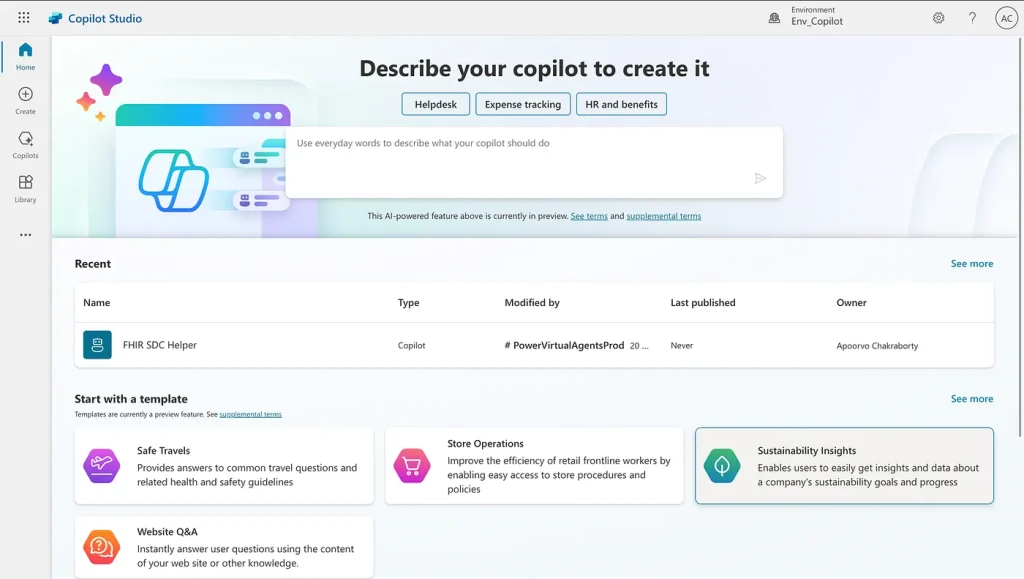
With Copilot Studio, you can create custom agents and plugins using natural language and data connectors. GitHub Copilot Extensions enables developers to build in the cloud using natural languages and their preferred tools, like DataStax and MongoDB, all without leaving their IDE.
Together, these capabilities represent a tremendous shift from static, pre-programmed assistants to configure AI agents that can mirror business processes and learn from their experiences.
Agentic Workflows Across Email, Chat, and Business Apps
Agents can operate across enterprise systems, handling all sorts of tasks:
- Email: Agents automatically read and prioritize messages, summarize threads, and help you draft responses.
- Meetings: Bots can join meetings in Meet and Teams, take notes, summarize what’s been said, and schedule follow-ups.
- Collaboration: Agents operating in Chat or Teams channels can provide quick answers and trigger automation workflows in response to commands.
- Business systems: Agents can also integrate with systems like Salesforce and Jira to update records, assign owners, and escalate requests.
Together, these examples illustrate how AI is evolving from a reactive assistant into a proactive coworker that can manage recurring work.
Multi-LLM Strategy: Using Microsoft Copilot, Gemini & Others Together
There’s no rule that says you need to use a single LLM. And that’s why leading enterprises, including Fortune 500 organizations, are increasingly adopting multi-LLM strategies, combining tools like Copilot and Gemini alongside ChatGPT and Claude — kind of like how a carpenter has more tools than a hammer.
By using multiple LLMs, organizations can avoid vendor lock-in, improve resiliency, and specific tasks to the AI collaborator best suited to handle them. For example, a creative or research request might get routed to Gemini while coding queries get sent to GitHub Copilot.
Hybrid Reality: Copilot vs. Gemini in Mixed Google & Microsoft Environments
Despite their best intentions, many organizations don’t operate in a single productivity ecosystem. Mergers, partnerships, and even shadow IT often leave organizations running both Google Workspace and Microsoft 365 in some fashion.
This is where interoperability solutions like NextPlane OpenHub can be game-changing, bridging communication and collaboration across AI-powered tools like Gemini or Copilot.
Common Hybrid Scenarios (And Why ‘Pick One’ Doesn’t Work)
Most enterprises can’t just pick Gemini or Copilot. Hybrid setups are common and often necessary due to myriad reasons:
- Mergers and acquisitions, with newly combined companies inheriting both ecosystems;
- Subsidiaries and joint ventures, with different business units aligning with regional or partner standards, maintaining separate stacks;
- Partner and customer ecosystems, with external partners and vendors using different tools;
- Strategic diversity, or a conscious choice to retain both Google and Microsoft tools to balance risk and leverage unique AI capabilities.
Collaboration Gaps: Teams, Google Chat, Slack & External Tenants
In multi-stack environments, communication often becomes fragmented. An employee who uses Teams might need to collaborate with a colleague who’s on Google Chat — and an external business partner who’s using Slack — which creates silos that prevent teams from seeing the big picture.
Without federation, meetings, messages, and files remain siloed. Employees need to either duplicate their efforts or make decisions lacking context.
The problem only deepens with AI assistants, who can only see what’s inside their environments. While Copilot can summarize Teams chats and Gemini can summarize Gmail threads, neither has a view of the other platform’s activity.
Without a unified context layer, both assistants have partial visibility, which reduces their effectiveness.
How Integration Platforms Like NextPlane OpenHub Help Copilot and Gemini Co-Exist
Looking to connect Google Workspace and Microsoft Teams?
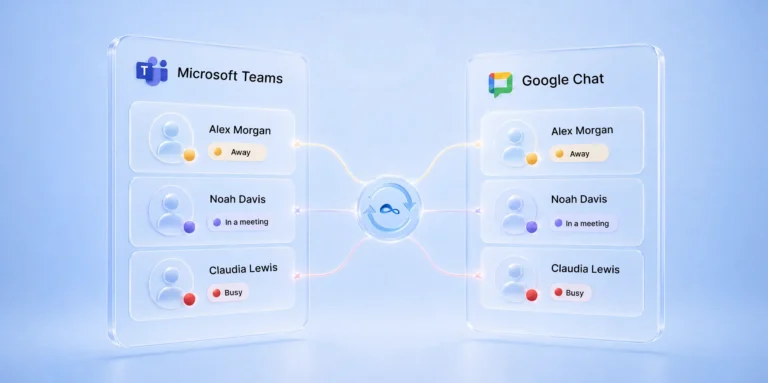
NextPlane OpenHub can help, working as the connective tissue between Microsoft 365 and Google Workspace. As an interoperability layer, OpenHub securely bridges the gap between both platforms, delivering unified communication benefits like cross-platform messaging, seamless file-sharing, and presence awareness between Google and Microsoft users.
With OpenHub, employees can stay on their preferred chat platform, and they can also leverage the AI platform and AI agents they like the best.
Example Architecture: Google Gemini Enterprise + Microsoft Copilot + NextPlane OpenHub
To give you a better idea of what this looks like in practice, consider this hypothetical scenario:
- Marketing and creative teams operate in Google Workspace, using Gemini to assist with content creation
- Finance, ops, and engineering use Microsoft 365 with Copilot embedded in Word, Excel, and Teams
- NextPlane OpenHub sits between these environments, connecting chats, calendars, and contacts so that users on each platform can collaborate across systems
As a result, Gemini can summarize cross-platform conversations and Copilot can create reports and presentations leveraging contributions from folks on either platform.
Decision Framework: Gemini or Copilot (or Both?)
Choosing Gemini vs. Copilot is rarely a straightforward, one-dimensional decision. Most organizations need to weigh tons of criteria — licensing costs, risk tolerance, and change management capacity, for example — before making a switch.
To give you a better idea of what AI assistant (or assistants) work best for your use case, here’s a handy framework.
Fast Decision Matrix: By Stack, Use Case & Risk Appetite
| Use case | Mostly Google | Mostly Microsoft | Hybrid or Multi-Stack |
| Software development | Gemini Code Assist connects to GCP, Vertex AI, and multi-language workloads | GitHub Copilot is tightly integrated with VS Code and Azure DevOps | Gemini for cloud scripting and machine learning; Copilot for core coding and code reviews |
| Sales & marketing | Gemini is great at creative generation, campaign briefs, and analytics within Google Workspace | Copilot supports CRM workflows via Dynamics 365 and Outlook | Use Gemini for messaging and content; Copilot for forecasting and CRM integration |
| Customer support & operations | Gemini supports Chat and Apps Script automation; strong for triaging issues and summaries | Copilot works with Power Automate, Power BI, and Teams | Hybrid approach for omnichannel visibility & reporting |
Checklists: Choose Gemini If… Choose Copilot If… Use Both If…
Choose Gemini if:
- You prioritize creativity and web-connected research
- Integration with GCP, AppSheet, or Vertex AI is important
Choose Copilot if:
- The goal is structured productivity and automation across enterprise apps
- Your IT and security frameworks already leverage Microsoft Graph and Purview
Use both if:
- You want to protect against vendor lock-in
- You support multi-cloud strategies or collaborate with partners who use other tools
- You’re interested in cross-platform resilience
Rollout Roadmap and Pitfalls
1. Start with a phased rollout
To increase your chances of success, roll out new tools for pilot groups most aligned with each ecosystem — think Gemini for marketing and Copilot for finance. Gather data on user productivity, user satisfaction, and integration challenges before scaling.
2. Governance and security checks
Review data residency, retention, and sharing policies before enabling assistants. Ensure both Gemini and Copilot respect tenant boundaries and DLP rules.
3. Adoption and training
Conduct structured onboarding sessions, and create AI usage guidelines — the dos and don’ts. Encourage users to share quick wins as soon as they have them to build momentum across the organization.
4. KPIs for success
Track metrics like time reclaimed on summarizing meetings, the number of users engaging with the tools, and error reduction in workflows. Set baseline assumptions and be laser-focused on optimization.
5. Common pitfalls to avoid
Just as important as knowing what to do is knowing what not to do:
- Don’t deploy without clear governance and clear change management plans
- Don’t measure adoption by license count; measure it by engagement
- Don’t assume one AI fits all use cases; today’s complicated world demands more nuanced answers
Bottom line? The best answer to “Gemini or Copilot?” is, increasingly, “both.”
The most successful organizations understand this, using the best parts of each tool together to accomplish more.
FAQ: Gemini vs. Copilot for 2025
1. Which is better: Gemini or Copilot?
Asking yourself Is Gemini better than Copilot? Neither Gemini nor Copilot is “better” than the other. Ultimately, the right choice for your organization will depend on what you need. If you’re a Google shop, Gemini may be the smarter option because it integrates deeply with Google Workspace. If you use Microsoft products, Copilot may be ideal because it’s tightly connected to Microsoft 365. Before making any final decisions about either platform, study each tool’s features and pricing to make sure they align with your needs and your budget.
2. What is the difference between Copilot and Gemini?
While similar, Gemini and Copilot are not the same. Microsoft’s Copilot integrates seamlessly with Microsoft 365 apps like Word, Excel, and Teams. Using Copilot, teams can increase productivity, automate workflows, and even get help with coding. Gemini, Google’s AI assistant, connects with Google tools like Docs, Sheets, and Gmail. It’s helpful for researching, summarizing content, and creating content. While both use advanced AI models to help teams work more efficiently, their strengths depend on whether you primarily use Microsoft or Google products.
3. Gemini AI vs. Copilot vs. ChatGPT: Do you need all three?
Your organization may benefit from using multiple tools depending on your workflow and what you’re trying to accomplish. ChatGPT is a perfectly capable general purpose assistant, which can be helpful for brainstorming ideas and fine-tuning creative tasks. Unlike Gemini, which lives inside Google, and Copilot, which is built for Microsoft 365, ChatGPT is a standalone tool that can be beneficial regardless of what your tech stack looks like.
While you don’t need all three, there are cases where you might be better off using each of them. If your organization is fully embedded in the Google or Microsoft ecosystem, using Gemini or Copilot, respectively, might meet most of your needs; but adding ChatGPT to the mix may be worth exploring. If your organization includes Google and Microsoft environments — and you’re interested in using AI assistants to increase productivity, accelerate research, and help with creative tasks — multiple tools might make sense. For example, ChatGPT can help with open-ended exploration, Gemini can speed up research and workflows in Google Workspace, and Copilot can help with Office automation.
4. Copilot or Gemini: What should we roll out first?
Start with the platform that best matches your existing tech stack. If your organization primarily uses Microsoft, roll out Copilot first. If you rely on Google Workspace, start with Gemini. But, if you feel like experimenting more with AI, add ChatGPT as a second tool your team can use to leverage the technology. Be sure to factor in licensing costs and deployment speed. Ideally, you’ll be able to roll out tools that deliver quick wins to generate fast ROI and increase employee buy-in.
5. Can Microsoft Copilot work with Google Gemini in one company?
Yes. Organizations can run Copilot and Gemini side by side as part of a hybrid, multi-LLM strategy. While the tools don’t directly integrate with each other, they can coexist when organizations use interoperability solutions like NextPlane OpenHub to tie Google Chat and Microsoft Teams together. For example, teams can use Copilot to speed up tasks in Microsoft 365 while using Gemini to accelerate research and improve Google Workspace collaboration. Taking this blended approach gives organizations the best of both worlds.