Google Chat vs. Slack (2025): Pricing, Features, AI, and Which to Choose

 December 11, 2025
 December 11, 2025


Table of contents
- 1. Quick Comparison Table
- 2. Background & Context
- 3. Slack vs. Google Chat: Key Features Comparison
- 4. Pricing and Plans
- 5. Google Hangouts Chat vs. Slack: Change Management
- 6. Slack vs. Google Chat: Use Cases
- 7. Slack vs. Google Chat: Pros and Cons
- 8. Slack vs. Google Chat: Migration or Coexistence?
- 9. Google Chat vs Slack Comparison: Final Verdict
- 10. Frequently Asked Questions:
- 10.1. 1. Is Slack better than Google Chat?
- 10.2. 2. Is Slack owned by Google?
- 10.3. 3. Which offers better value for money — Slack or Google Chat?
- 10.4. 4. Does Google Chat replace Slack?
- 10.5. 5. Does Google have a Slack equivalent?
- 10.6. 6. Which integrates better with business apps — Slack or Google Chat?
- 10.7. 7. Is Slack or Google Chat better for remote teams?
- 10.8. 8. Can I use Slack and Google Chat together? (Slack users can chat with Google Chat users)
Choosing between Slack and Google Chat in 2025? This definitive guide compares their features, AI tools, pricing, security, and total cost of ownership so you can make a smart, future-proof decision.
Quick Comparison Table
| Category | Slack | Google Chat |
| Conversation Model | Channels + DMs + threads everywhere | Spaces (threaded) + DMs (no threads, quote replies) |
| Integrations | 2,600+ third-party apps, open API, strong automation | Tight Google Workspace integration; limited third-party apps |
| Voice & Video | Huddles (quick audio/video + screen share); integrates with Zoom, Meet, Webex | Native Meet integration, large meetings, live captions |
| Search | Advanced filters, modifiers, and history | Unified search across Gmail, Chat, and Drive |
| AI | Slack AI summaries, recaps, workflow automation, agent framework (beta) | Gemini in Chat/Docs/Meet for summaries, writing help, and Q&A |
| Security & Compliance | Enterprise-grade controls (SSO, SCIM, DLP, legal holds on upper tiers) | Inherits Workspace’s robust security & DLP (Plus+ tiers) |
| Admin Controls | Granular roles, custom permissions, org-wide channels (Enterprise Grid) | Simpler Workspace roles; limited customization |
| Pricing | Free → Enterprise+ (separate subscription) | Bundled with Google Workspace (no extra cost) |
All businesses — whether they’re brand-new startups or seasoned enterprises — need collaboration tools to fulfill their missions.
When it comes to picking a collaboration solution for your business, Slack and Google Chat are two popular choices.
Slack is a collaboration platform that organizes communication into channels for different teams, projects, and topics. Marketing and Finance might have their own dedicated team channels. Cross-functional groups can work together on a budget-planning project in a different channel. All employees might participate in a channel where everyone shares tips and tricks for using artificial intelligence effectively.
The platform supports direct messaging, threaded conversations, and integrations with more than 2,600 third-party apps, including Google Drive and Zoom. It’s an ideal communications solution for both internal and external collaboration (e.g., with business partners or contractors).
Google Chat is Google’s team messaging platform, included in Google Workspace. The platform allows users to collaborate in Spaces, which provide persistent chat histories. Google Chat supports file sharing, direct messages, group chats, and more. Since it offers seamless integration with Google products, it’s particularly useful for teams that already use Google Workspace, including Google Docs, Google Sheets, and Google Drive.
Background & Context
Slack History
Slack was born out of failure. In 2009, Stewart Butterfield was at the helm of Tiny Speck, a game development company working on an ambitious online multiplayer game. That game never gained traction and was ultimately shut down in 2012.
While working on the game, the team developed an internal communications tool to help their remote team collaborate more effectively. After the game failed, the team decided to pivot its focus entirely on this communications tool, and Slack — an acronym for Searchable Log of All Communication and Knowledge — was born.
Slack was released to the public in August 2013 and rapidly gained market share. In December 2020, Salesforce acquired Slack for $27.7 billion. Today, companies like OpenAI, Verizon, and Target use Slack every day.
Google Chat History
Google Chat traces its roots back to 2005, with the launch of Google Talk, a simple instant messaging app that integrated with Gmail. Old-school Gmail users no doubt remember keeping in touch with friends via a chat interface that lived right in their inboxes. In 2013, Google introduced Hangouts, which was designed for both casual and workplace communication. Hangouts struggled to find a clear identity and lacked enterprise focus.
In 2018, Google released Hangouts Chat as part of its G Suite rebranding. Two years later, Google rebranded Hangouts Chat as Google Chat, which then became part of Google Workspace (rebranded G Suite). Google Chat is tightly integrated into Gmail’s web and mobile apps, enabling users to seamlessly switch between email, chat, video calls, and document collaboration.
Today, Google Chat is Google’s official team communication tool, competing against Slack and its alternatives.
Slack vs. Google Chat: Key Features Comparison
Wondering about the difference between Slack and Google Chat? Let’s take a look.
Artificial Intelligence
Slack lets organizations harness the power of AI to summarize unread channels and threads and provide updates users need to stay current. According to the company, users can save an average of 97 minutes each week using AI. Users can also create automations in just a few clicks using conversational language. On top of this, organizations can deploy AI agents directly in Slack who can assist with all sorts of tasks, like creating content, translating foreign languages, or providing customer context ahead of a sales call.
In October 2025, Salesforce announced the addition of a real-time search (RTS) API and a Model Context Protocol (MCP), enabling organizations to connect agentic AI with conversational data in Slack to create context-aware agents and more robust automations. These capabilities are currently in closed beta, with general availability in early 2026.
Google also gives you the power of AI through Gemini, which you can use to generate summaries of conversations. You can also query Gemini directly in chat to answer questions and find information. Gemini can also help you write emails faster using generative AI. Google Workspace admins have the options to enable or disable Gemini functionality.
Google Spaces vs. Slack Channels
Slack uses public and private Channels to organize conversations. Channels are highly customizable; teams can name them whatever they want, add descriptions, and restrict access to specific users. Channels also support file sharing, threaded messaging, pinned messages, emoji reactions, and integrations. Teams can connect Slack with tools like Jira, PagerDuty, GitHub, Asana, and Notion, automatically piping updates from these platforms into Slack channels to centralize collaboration and reduce context switching.
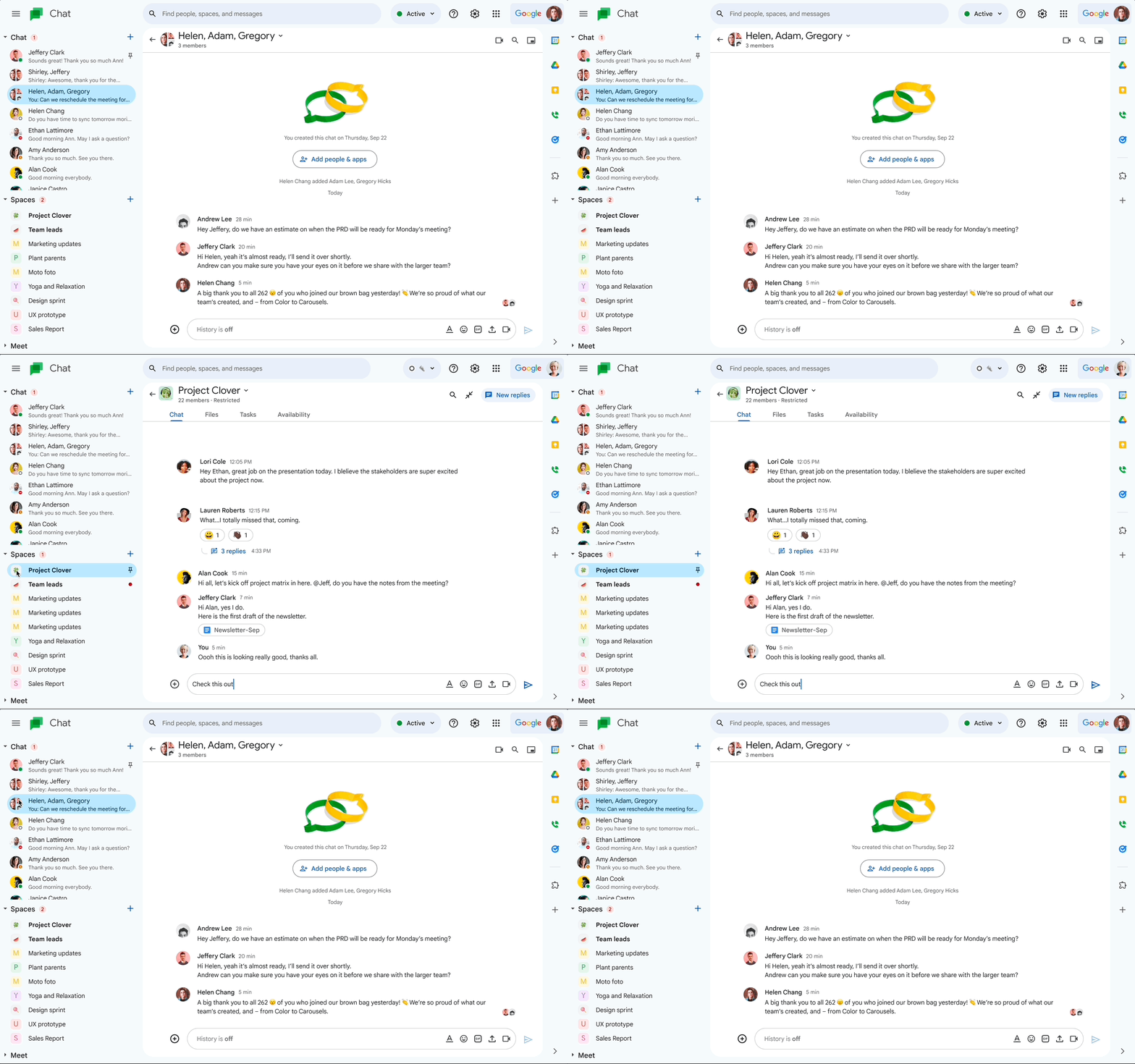
Google offers Spaces for topic-based group chats. They support threaded conversations, file sharing, and task assignment and management. Like Slack, Google Spaces can be restricted to authorized users, or they can be public and searchable for all users in the organization. Since Google Chat is tightly integrated with Google Workspace, users have direct access to Docs, Sheets, and Calendar.
Direct Messaging and Threads
In addition to Channels, Slack offers both one-to-one and group direct messages (DMs), which are ideal for smaller conversations and quick questions. It also offers threaded messages inside Channels and direct messages, which help keep side conversations from cluttering the discussion. Threads appear on the right-hand side of the Slack interface, making it easy to track both the main conversation and the sidebars at the same time.
Google Chat also supports 1:1 and group chats. While threading is available in Spaces, it isn’t available in 1:1 chats (but you can quote the replies of the folks you’re chatting with to preserve context). By using threaded conversation in Spaces, you can focus on specific topics without disrupting the team’s flow. Since Spaces integrates tightly with Google Workspace, you can also drop calendar invites and Drive files directly in messages.
Integration with Other Tools
Slack offers integrations with more than 2,600 apps, including Google Drive, Zapier, Salesforce, Zoom, and Box. The platform has a rich marketplace of integrations, which you can add to your instance in just a few clicks. Slack also offers an API that developers can use to create custom bots, tools, and internal integrations.
Google Chat, of course, natively integrates with Google Workspace, which includes Docs, Sheets, Slides, Drive, Calendar, Meet, and more. Google also offers a Google Chat API that developers can use to build bespoke Chat apps.
File Sharing and Collaboration
Slack makes it easy to share files, with drag-and-drop and copy-paste simplicity; you can also upload files the old-fashioned way, in just a few clicks. In Slack, files are easily searchable and stay within channels and DMs. Since Slack integrates with all sorts of services, including DropBox, OneDrive, and Google Drive, the platform supports seamless cloud file sharing (as long as those integrations are enabled). The downside here is that you typically can’t collaborate on documents and other resources directly in Slack and have to hop to external tools.
Since Google Chat integrates seamlessly with Google Workspace, it’s super easy to share files and collaborate directly on the platform. You can open files, comment, and even edit them directly from the chat window. If a colleague doesn’t have permission to access a file, no problem. Permissions can be adjusted in real time, so you can easily grant access without disrupting your workflow. These capabilities make Google Chat an effective tool for real-time collaboration within the Google Workspace suite.
Search Capabilities
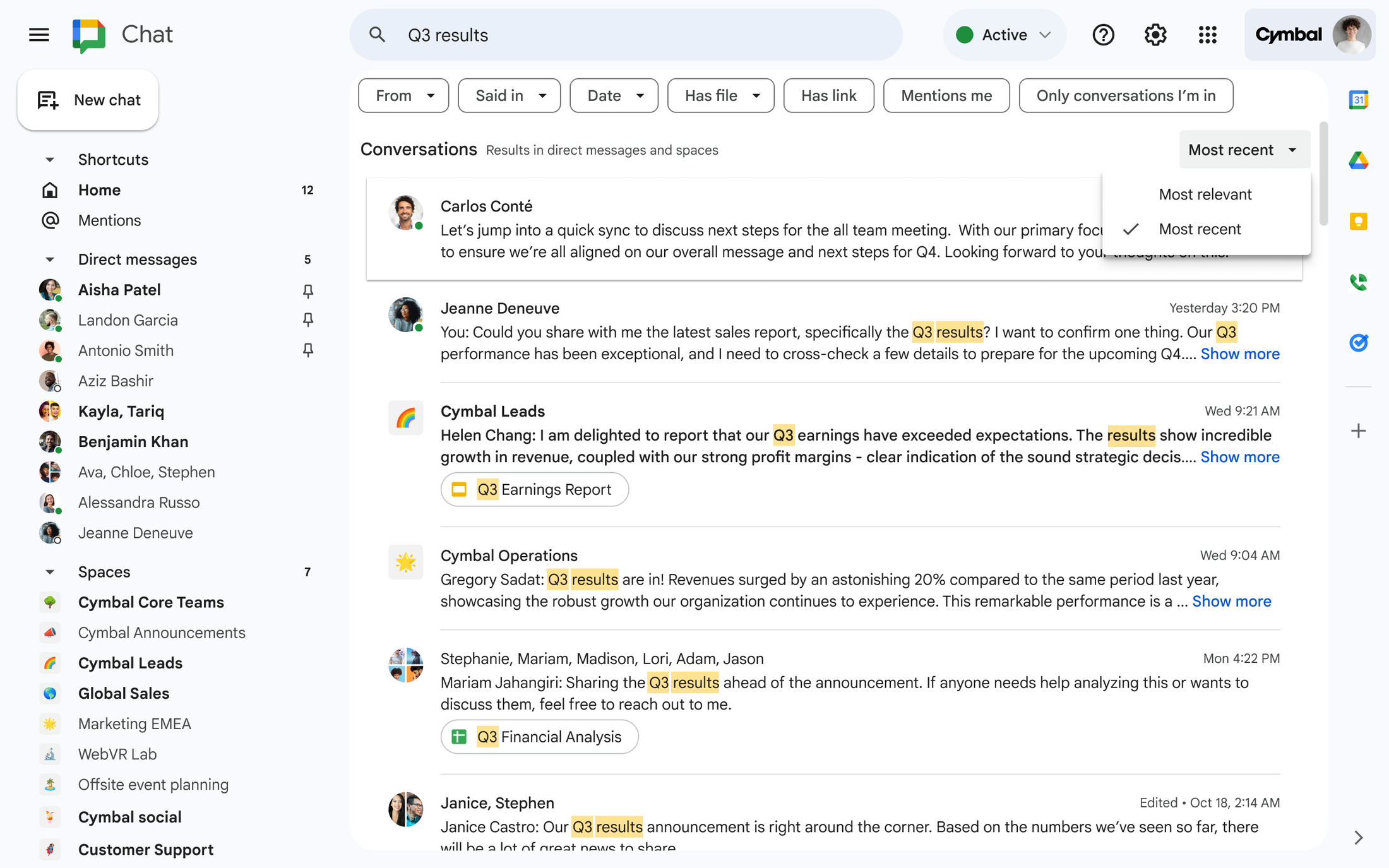
Remember how Slack is an acronym for Searchable Log for All Communication and Knowledge? You probably won’t be surprised to learn that search is one of Slack’s strongest productivity features, giving users the ability to use advanced filters to find conversations and data within Channels, messages, threads, and even uploaded files. Using search modifiers, users can find very specific information.

Google Chat’s search capabilities are integrated with Gmail and Google Drive (if using Gmail view). Users can find messages, files, and participants. While Google doesn’t offer the advanced filtering that Slack does, the search functionality is still strong for organizations using Google Workspace.
Voice and Video
Slack offers Slack Huddle, a voice and video call feature built for quick conversations and screen-sharing within channels and direct messages. For larger meetings or more advanced features, Slack integrates with third-party tools like Zoom, Webex, and Google Meet. While Slack Huddle is great for small group discussions, organizations may need external tools for larger meetings.
Google Chat integrates seamlessly with Google Meet, offering built-in voice and video calling for 1:1 and group conversations. Google Meet supports features like screen sharing, live captions, and large-scale meetings, making it a more feature-rich option for native voice and video calls.
Interface and UX
Slack has a highly customizable interface that enables users to adjust settings to better suit the way they work. With features like threaded conversations, channel-based collaboration, and robust integrations, Slack is designed to be more accessible for more teams. While the experience is streamlined, Slack might feel cluttered for some new users due to the many features it offers.

Google Chat is simple and straightforward, with seamless integrations with the Google Workspace suite. It’s an ideal solution for users familiar with Google tools. However, Google Chat sacrifices capabilities for ease of use. Larger teams that require advanced collaboration workflows may be better off choosing a different tool.
Security and Compliance
Slack offers enterprise-grade security features, like encryption at rest and in transit and multi-factor authentication (MFA). It also has a slew of compliance certifications, including ISO 27001 and SOC 2. The platform also complies with regulations like GDPR and CCPA, giving organizations peace of mind that their data is protected.
Starting with the Business+ tier, Slack also offers SAML-based SSO, custom data retention policies, data residency, and SCIM user management. Enterprise+ plans include even more capabilities, like legal holds, audit logs, data exports, native data loss prevention (DLP), information barriers, HIPAA compliance, and more.
Google Chat is built on Google’s robust security infrastructure and offers enterprise-grade security and privacy, multi-factor authentication, and group-based policy controls at each pricing tier. Additional features are available in higher tiers, including secure LDAP (Business Plus and Enterprise Plus), and data loss prevention (Enterprise Plus).
While Slack and Google Chat are both built in secure and compliant manners, Slack offers more advanced controls for organizations that pay for premium tiers.
Admin & Governance
Wondering who wins the Slack vs. Google Workspace debate when it comes to administration and governance? Let’s take a look.
Organization-wide channels
- Slack supports organization-wide channels, especially useful for communication at scale (e.g., company announcements). These channels are easy to create, and admins can control who can join them and what permissions each user has. Note: Org-wide channels are available only on Enterprise Grid.
- Google Chat offers Spaces, but organization-wide Spaces aren’t as easy to manage or as customizable as in Slack.
Workplace structure
- Slack allows multiple workspaces and multiple channels within each workspace. Each of these workspaces can have different settings. While this level of granularity is nice, managing multiple workspaces can be time-consuming.
- As part of Google Workspace, Google Chat fits within that framework. With its simpler structure, Google Chat doesn’t offer the same level of workplace controls as Slack does.
Role granularity
- Slack provides detailed role granularity, giving admins the ability to assign roles like admin, members, and guest, and set specific permissions for each. You can also create custom roles with bespoke permissions, giving you more flexibility.
- Google Chat is tied to Google Workspace and shares the same roles, including super admin, group admin, and user. Once again, there’s less granularity here than Slack. But admins can restrict who can create Spaces, invite users, and manage permissions.
Guest governance
- Slack lets companies add five single-channel guests for free for every active member in your workspace. If you have 10 active members, you can have up to 50 single-channel guests. You can also add multi-channel guests, but they are billed as regular members. Learn more about guest roles in Slack.
- Google Chat gives admins the ability to enable users to chat with people outside your organization, as long as they have their own Google accounts and, if they use Google Workspace, Chat has been enabled. When creating a Space, users must decide whether it will be open to external collaborators; the setting can’t be changed later. Learn more about guest roles in Google Chat.
Pricing and Plans
Now that you have a better idea of the features each tool offers, let’s take a look at the Google Chat vs. Slack pricing and plans comparison (valid as of November 2025).
Slack
Slack currently offers four different pricing plans.
| Plan | Pricing | Features |
| Free | Free | General productivity and collaboration features (90-day limit), 1:1 Huddles, 10 integrations, basic security features |
| Pro | $8.75 user/month | Advanced collaboration features (e.g., Canvases and Lists), AI-powered thread and channel summaries and notes, OAuth with Google |
| Business+ | $18 user/month | AI search, daily recaps, files summaries, workflow generation, translations, and more; advanced security capabilities; SAML-based SSO |
| Enterprise+ | Custom packages | Enterprise search, native data loss prevention, legal holds, audit logs, unlimited Workspaces, granular roles |
Google Chat
Google Chat is part of the Google Workspace suite. Google Workspace offers four pricing plans.
| Plan | Pricing | Features |
| Starter | $7 user/month | 30GB storage, Gemini AI assistant for Gmail, video meetings (100 participants), AI-powered video creator, basic security and management controls |
| Standard | $14 user/month | 2TB storage, Gemini in Gmail, Docs and Meet, video meetings with recording (150 participants), eSignature with Docs and PDFs, data migration tool |
| Plus | $22 user/month | 5TB storage, eDiscovery, storage vault, video meetings with attendance tracking (500 participants), secure LDAP, advanced endpoint security, enhanced security |
| Enterprise Plus | $35 user/month | 5TB storage (or upgrade for more), video meetings with in-domain live streaming (1,000 participants), data loss prevention, enterprise endpoint management, AI Classification for Google Drive |
Total cost of ownership (TCO) scenarios
Now that you have a better idea about how much these products cost, let’s explore three hypothetical scenarios to help you understand TCO.
50 seats
If you already pay for Google Workspace, adding Chat will set you back a cool $0. If you decide to pay for 50 Slack Pro seats and pay monthly, your annual Slack bill will be $5,250, plus the hidden IT costs.
250 seats
As your company scales and you have more advanced needs — think data retention and eDiscovery — then you might opt to upgrade to Slack Business+. In this scenario, you’re paying Slack $54,000 per year.
If you’re in Google, you might decide to upgrade to Plus ($66,000 per year) or Enterprise Plus ($105,000 per year) to leverage more robust features. While that’s pricier than Slack, you’re getting a lot more services than just messaging and collaboration.
1,000 seats
At this scale, you might need sophisticated governance and compliance features like data loss prevention, legal holds, and audit logs. In Slack, this pushes you to Enterprise+, but you’ll have to contact sales to figure out how much that would set you back.
At $35/user/month, getting those same features in Google translates into a $420,000 annual bill. But again, you’re getting more than just collaboration tools; you’re getting an entire business productivity suite.
Google Hangouts Chat vs. Slack: Change Management
Switching between platforms requires thoughtful change management.
Both tools have limitations: Slack restricts message and file imports via standard tools, while Google doesn’t support full channel or thread imports. Preserving all historical data often requires manual work.
You’ll also need to train users on differences in mentions, notifications, and etiquette. Playbooks and documentation help standardize usage.
A staged rollout — starting with a pilot group — minimizes risk and helps you evaluate adoption metrics.
Slack vs. Google Chat: Use Cases
When to choose Slack
Large, diverse teams
Slack is well-suited for large organizations and cross-functional teams that need flexible communication channels and a way to organize their conversations, files, and collaboration workflows. Its structure of channels and threads make it easy to scale communication while maintaining focus.
Heavy app integrations
The platform is also ideal for technical organizations that require a lot of integrations (e.g., with Jira and GitHub) to automate processes, centralize workflows, and minimize context switching. With thousands of available integrations, Slack becomes a central hub where all important data lives.
Advanced features
More mature organizations may also benefit from Slack’s advanced features, including workflow automation, granular permissions, and enterprise-grade security. These capabilities support more complex governance and compliance needs at scale.
When to choose Google Chat
Smaller, budget-conscious teams
Google Chat is best for smaller, budget-conscious teams that need a simple, cost-effective messaging solution that’s intuitive by design. While Slack might require a bit of a learning curve for some users, Google Chat should be familiar to most internet users.
Organizations that use Google Workspace
If your organization is already paying for Google Workspace, it’s worth exploring whether Google Chat can meet your communication and collaboration needs. Since Google Chat seamlessly integrates with Gmail, Drive, and Calendar, it provides a unified experience that reduces the need to switch between tools.
Slack vs. Google Chat: Pros and Cons
Slack pros and cons
Pros:
- Large integration ecosystem, with thousands of available integrations with third-party apps and bots. Ideal for teams that use tools like GitHub, Jira, and Salesforce and want to automate workflows
- Strong messaging and organization features, with threaded replies, channel-based collaboration, rich formatting, notifications, scheduled messages, and more.
- Artificial intelligence capabilities to summarize unread messages, take meeting notes, translate languages, and even build workflows (premium features)
Cons:
- Advanced features only available with premium subscription, putting many capabilities outside the reach of cost-conscious teams
- Can become too noisy, with many channels, direct messages, group chats, and tons of notifications, especially for big teams
- Limited features in free version, most notably the 90-day limit on conversation histories, which can be a deal-breaker for certain teams
Google Chat pros and cons
Pros:
- Seamless integration with Google Workspace, making it an ideal tool for teams that already use services like Google Drive, Gmail, and Calendar
- Cost-effective for organizations on Google Workspace, with no additional bills needed to be paid to use Google Chat
- Simple, user-friendly interface, which helps employees get up and running quickly with minimal training
Cons:
- Fewer third-party integrations and custom workflows, which can cause teams that use a lot of external tools to incur heavy context switching costs
- Less advanced customization options, a disadvantage for teams seeking more control over their tools
- Advanced features are only available in higher-tier plans, so if you want access to things like enterprise search tools or robust permissions, you’ll have to pay more.
Slack vs. Google Chat: Migration or Coexistence?
Whether you choose Slack, Google Chat, or even something like Microsoft Teams, you’ll likely still need to collaborate with colleagues and partners using different tools.
For example, your engineering team might prefer Slack for integrations and workflows while the rest of the company is perfectly fine inside Google Chat. In that case, you might opt to move the bulk of your users to Google but maintain a small footprint on Slack.
Different platforms, however, don’t have to mean disconnected teams. With interoperability solutions like NextPlane OpenHub, you can bridge services like Slack, Google Chat, Microsoft Teams, Zoom, and Webex, enabling seamless cross-platform messaging. It’s sort of like a Google Chat Slack integration that allows you to empower your workers to collaborate on whichever tool works best for them, without sacrificing productivity.
Google Chat vs Slack Comparison: Final Verdict
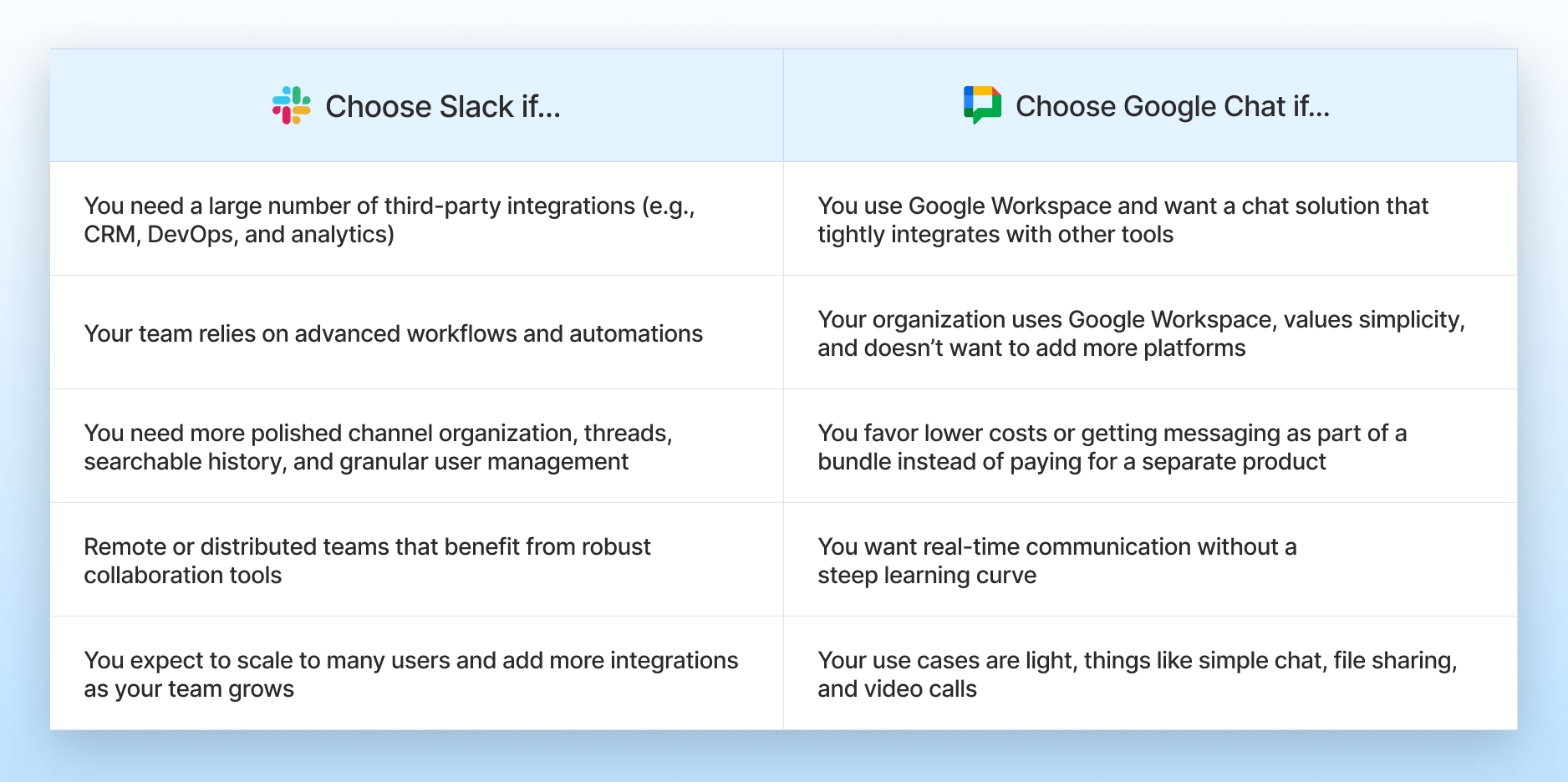
Ultimately, there’s no right or wrong answer to this question. While Slack might be best for larger teams that rely on tons of external tools, Google Chat is ideal for teams that need a straightforward communications solution — especially those that use Google Workspace.
If your business already pays for Google Drive, Gmail, and Calendar, Google Chat is part of that subscription, with no extra cost required. With native integration with the Google suite, Google Chat also helps teams reduce context switching and simplify workflows, with minimal setup and no learning curve required.
Google is also highly scalable, giving you the peace of mind that comes with knowing Google Chat can keep pace with your businesses’ growth. Built on the same infrastructure as other Google products, Google Chat also delivers enterprise-grade admin controls and security and compliance features, helping organizations keep sensitive collaboration data safe.
Frequently Asked Questions:
1. Is Slack better than Google Chat?
It depends on your needs, but Slack is generally considered to be more feature-rich than Google Chat. It offers more robust team collaboration features, including extensive app integrations, custom workflows, and granular channel management. Google Chat is more lightweight but is tightly integrated with the Google ecosystem.
2. Is Slack owned by Google?
No, Slack is owned by Salesforce, which purchased the collaboration app in 2021. Google owns Google Chat and offers it as part of its Workspace suite. Long-time Gmail users should be able to figure out how to use Google Chat intuitively. For those who have never used it before, Slack may require a bit of a learning curve.
3. Which offers better value for money — Slack or Google Chat?
Google Chat can be more cost-effective for organizations that use Google Workspace. Slack’s pricing may be higher, but it offers more advanced collaboration features. Ultimately, the answer depends on your team’s unique needs. If you’re already using Google Workspace and don’t need extensive integrations and customization, Google Chat is probably the better option.
4. Does Google Chat replace Slack?
Google Chat can replace Slack if all your team needs is a simple chat tool. But Google Chat lacks many of Slack’s advanced collaboration features, like integrations and channel-based collaboration. If your team has set up tons of channels and automations on Slack, Google Chat probably won’t serve as an effective replacement.
5. Does Google have a Slack equivalent?
Yes, Google Chat serves as Google’s equivalent to Slack, providing team messaging, threaded conversations, and the ability to collaborate on documents and files directly within the chat interface. The product is particularly useful for teams that use Google as a productivity suite.
6. Which integrates better with business apps — Slack or Google Chat?
Slack generally integrates better with business apps, offering more than 2,600 third-party integrations and an open API developers can use to build their own. Google Chat integrates seamlessly with Google Workspace apps — like Docs, Slides, and Sheets — but has fewer options outside the Google ecosystem.
7. Is Slack or Google Chat better for remote teams?
Many people consider Slack to be better for remote teams because it supports a more robust collaboration experience than Google Chat’s straightforward chat interface. Slack offers more integrations and customization options while Google Chat is more basic and mainly suitable for teams already using Google Workspace.
8. Can I use Slack and Google Chat together? (Slack users can chat with Google Chat users)
Yes, you can use Slack and Google Chat together, though they don’t natively integrate. Workarounds, including third-party apps and cross-platform interoperability solutions like NextPlane OpenHub, allow users on both platforms to communicate with colleagues on the other solution using their preferred collaboration tool.